Wonderful Blog
LinkedIn Carousel Ad Specs
Technical specs only: no creative strategy or examples.

Published March 9, 2026
LinkedIn Carousel Ad Specs
LinkedIn carousel ad specs are scattered across help docs and platform updates. This post consolidates dimensions, file limits, aspect ratios, and technical requirements so creatives and media buyers can build once and avoid rejections or rework.
TL;DR
- Single image dimensions: 1080 x 1080 px (1:1) recommended; LinkedIn accepts 1:1 to 1.91:1 (max 1200 x 627 for landscape).
- Card count: 2–20 cards per carousel. Each card = one image (or one video in video carousel).
- File size: Max 10 MB per image; max 200 MB per video card. Format: JPG, PNG, GIF (static); MP4, MOV for video.
- Text: Headline max 45 characters; description max 255. No cramming body copy onto the image—keep key message in the card creative.
- Out of scope: Creative best practices or examples—see LinkedIn's ad specifications and our blog for related posts. This is specs only.
Where the Specs Live
LinkedIn's ad specs are the source of truth. They update periodically; always confirm in Campaign Manager when you're building a new format. The specs below reflect current single-image and carousel requirements as of the latest documentation.
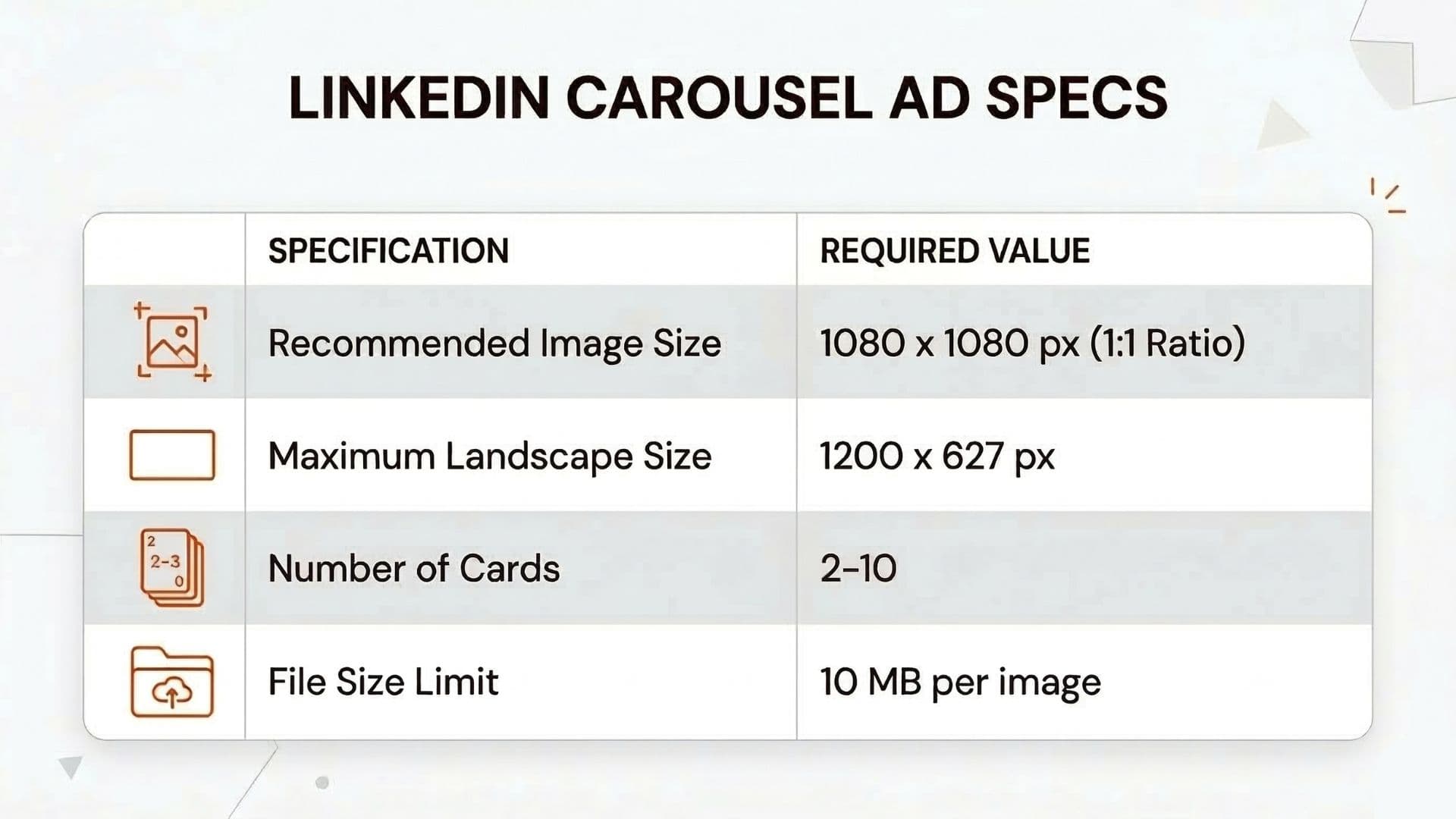
Image Dimensions and Aspect Ratios
| Spec | Requirement |
|---|---|
| Recommended (square) | 1080 x 1080 px (1:1). Best for feed; consistent across devices. |
| Landscape max | 1200 x 627 px (1.91:1). Acceptable but square is preferred for carousel. |
| Min dimensions | 552 x 368 px (landscape) or equivalent area for square. Don't go smaller—quality and clarity drop. |
| Aspect ratio range | 1:1 to 1.91:1. LinkedIn will crop to fit; design with safe zones. |
Use 1080 x 1080 for every card when possible. Mixed aspect ratios in one carousel can look inconsistent; stick to one ratio per campaign.
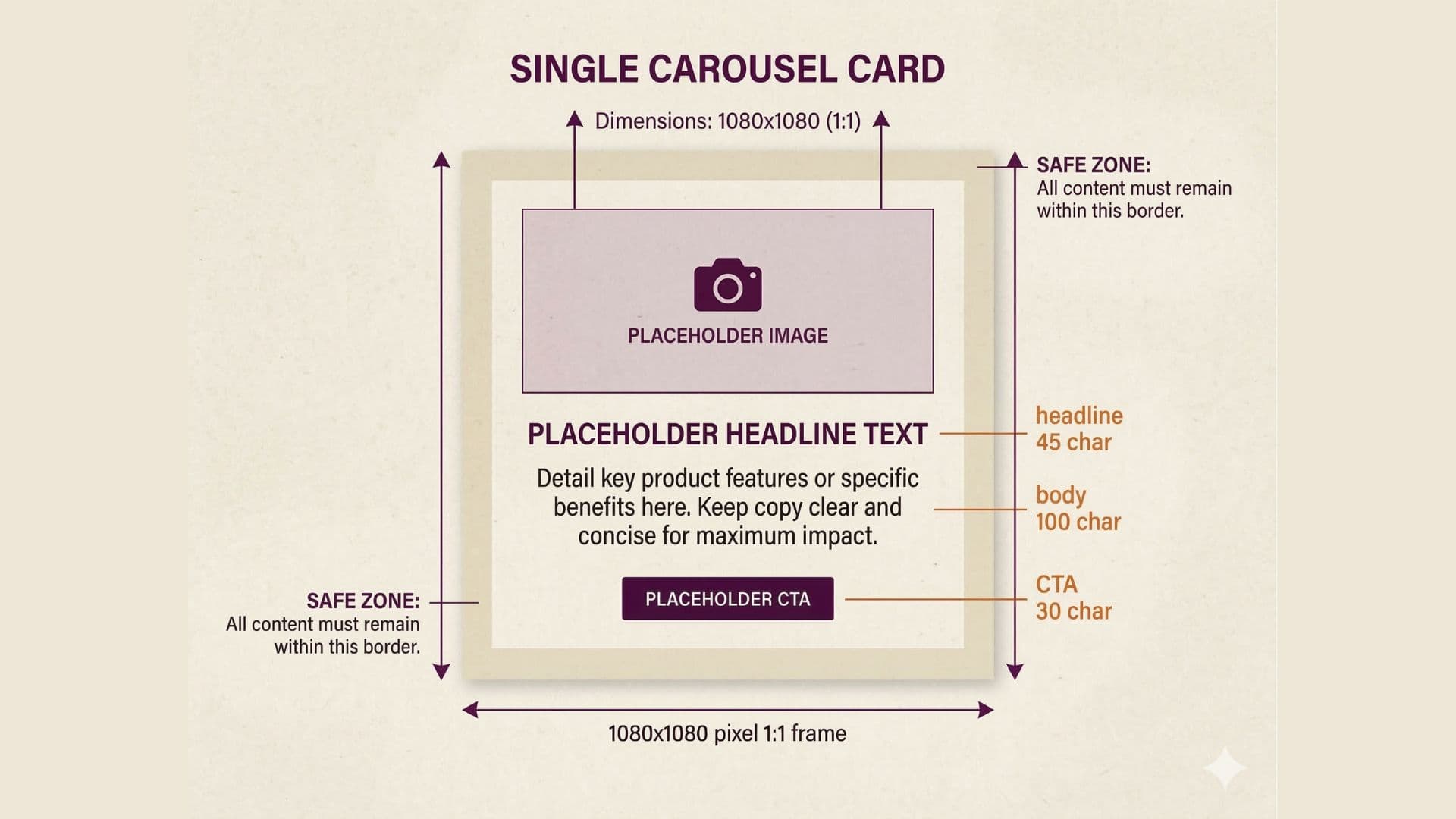
File Size, Format, and Card Count
- Image format: JPG, PNG, or GIF (static). No animated GIF in carousel image ads in some placements—check current specs.
- File size: Max 10 MB per image. Compress to under 5 MB for faster load and fewer delivery issues.
- Cards per carousel: Minimum 2, maximum 20. Most brands use 5–10 for narrative; more cards = more production and potential drop-off.
- Video carousel: If using video per card, max 200 MB per video; MP4 or MOV; same aspect ratio rules. Duration limits apply per LinkedIn video specs.
Headline and Description Limits
- Headline: 45 characters max. Use for hook or key benefit; don't repeat the image.
- Description: 255 characters max. Supports the card; keep primary message on the creative.
- No long copy on the image: LinkedIn recommends minimal text on the image itself for delivery and accessibility. Put the punch in the card visual and use headline/description for context.
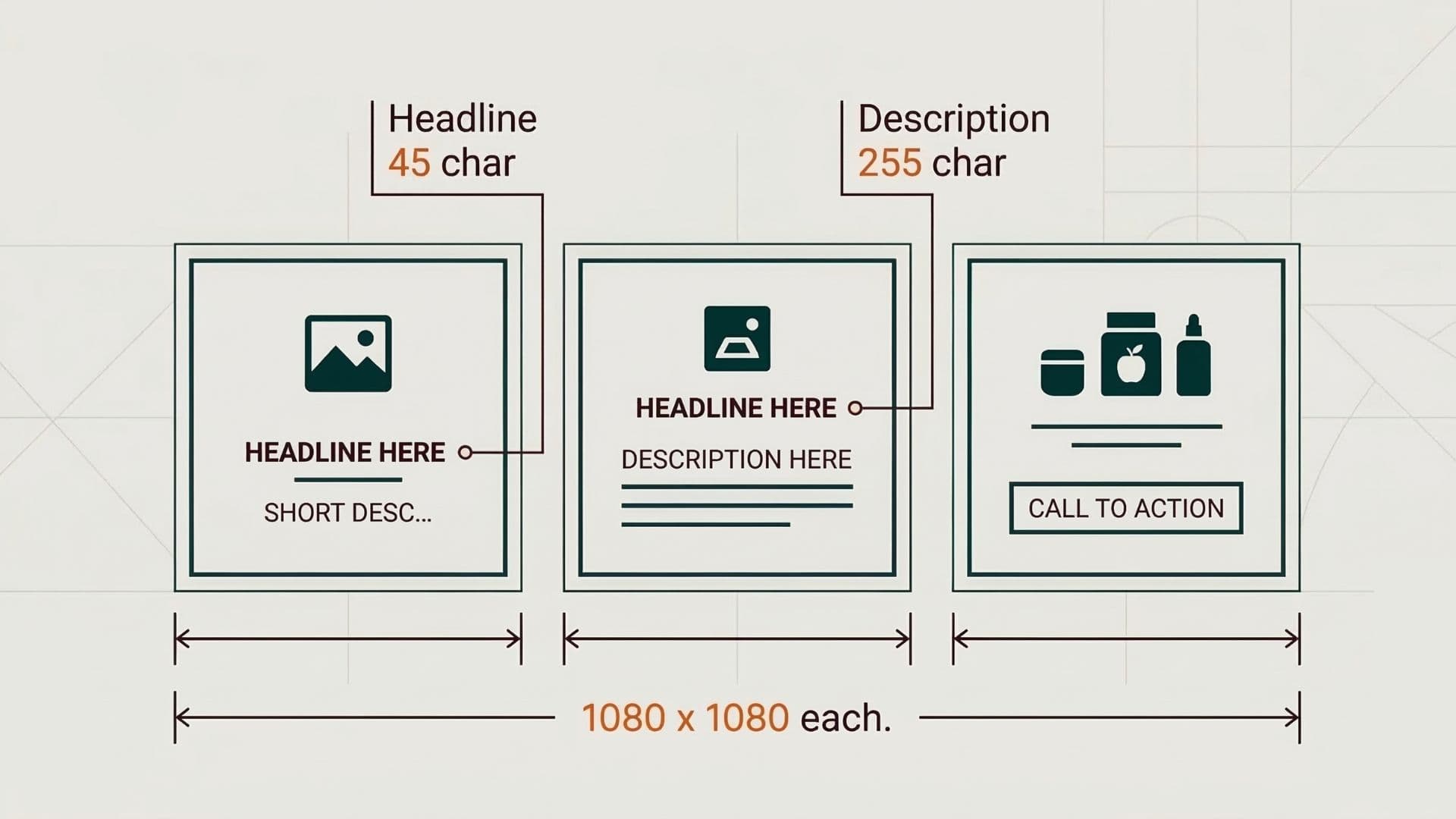
Checklist Before You Build
- All cards same aspect ratio (prefer 1080 x 1080).
- Each image under 10 MB (aim under 5 MB).
- Headline 45 characters or fewer per card.
- Description 255 characters or fewer.
- Minimal text on the image; key message in visual, not tiny type.
- Format JPG or PNG; confirm GIF/video rules if using motion.
One creative team was getting rejections for "image quality" until they checked file size—they were uploading 12 MB PNGs. They exported at 80% quality, under 5 MB, and approvals went through. Always confirm current limits in LinkedIn's ad specifications before a big production run.
Actionable Takeaway
Use 1080 x 1080 for LinkedIn carousel cards; keep each image under 10 MB; respect 45-character headline and 255-character description. Run through the checklist above before export. To validate creative specs before publishing, use our ad launcher tool. For carousel ad examples from top brands, see our ad library.
Keeping specs and approved carousel assets in one place reduces rework. Wonderful stores creative with the right dimensions and versions so your team ships to spec every time.
For more LinkedIn ad formats, see Thought Leadership Ads and Facebook Ad Sizing.