Wonderful Blog
Top Tools For Creating Shoppable Ugc Videos For Facebook Ads

Published March 3, 2026
Top Tools For Creating Shoppable Ugc Videos For Facebook Ads
Shoppable UGC videos for Facebook ads combine user-generated content with product tagging and checkout paths. The right tools cover capture or sourcing, editing, product tagging, and pushing into Meta. This post is scoped to tool selection and workflow—what to use where—not full UGC strategy or creative briefs. Out of scope: UGC rights and contracts, full Meta catalog setup, or broad "best UGC tools" lists.
TL;DR
- Stack in layers: Capture/source → Edit → Tag (product/shop) → Publish to Meta. No single tool does everything; pick by where you're weakest.
- Meta-native options: Meta's Commerce Manager and in-platform tagging support shoppable ads; Instagram Shopping and Facebook Shops tie into ads. Use these as the source of truth for what's "shoppable" in ads.
- Third-party tools often handle UGC collection, editing, or tagging; then you push creative to Ads Manager or Catalog. Compare on: UGC sourcing, product tag support, and Meta integration (API or export).
- One comparison table below by use case (capture, edit, tag, publish). Use it to plug gaps in your stack.
- Out of scope: Full UGC strategy, rights templates, or Meta catalog product feed setup—see meta-ads-updates-february-2026 and commerce docs for that.
What "Shoppable UGC" Means for Facebook Ads
Shoppable UGC is user-generated video (creator or customer content) that includes product tags or links so viewers can tap to product or checkout. On Meta, that usually means video creative that's linked to your catalog or product set and runs as a Dynamic Ads guide or in Instagram Shopping / Facebook Shops flows. The "tools" question is: how do you get from raw UGC to tagged, approved creative in Ads Manager? Jon Loomer and practitioners often separate UGC sourcing, editing, and ad deployment; your stack should cover at least two of those.
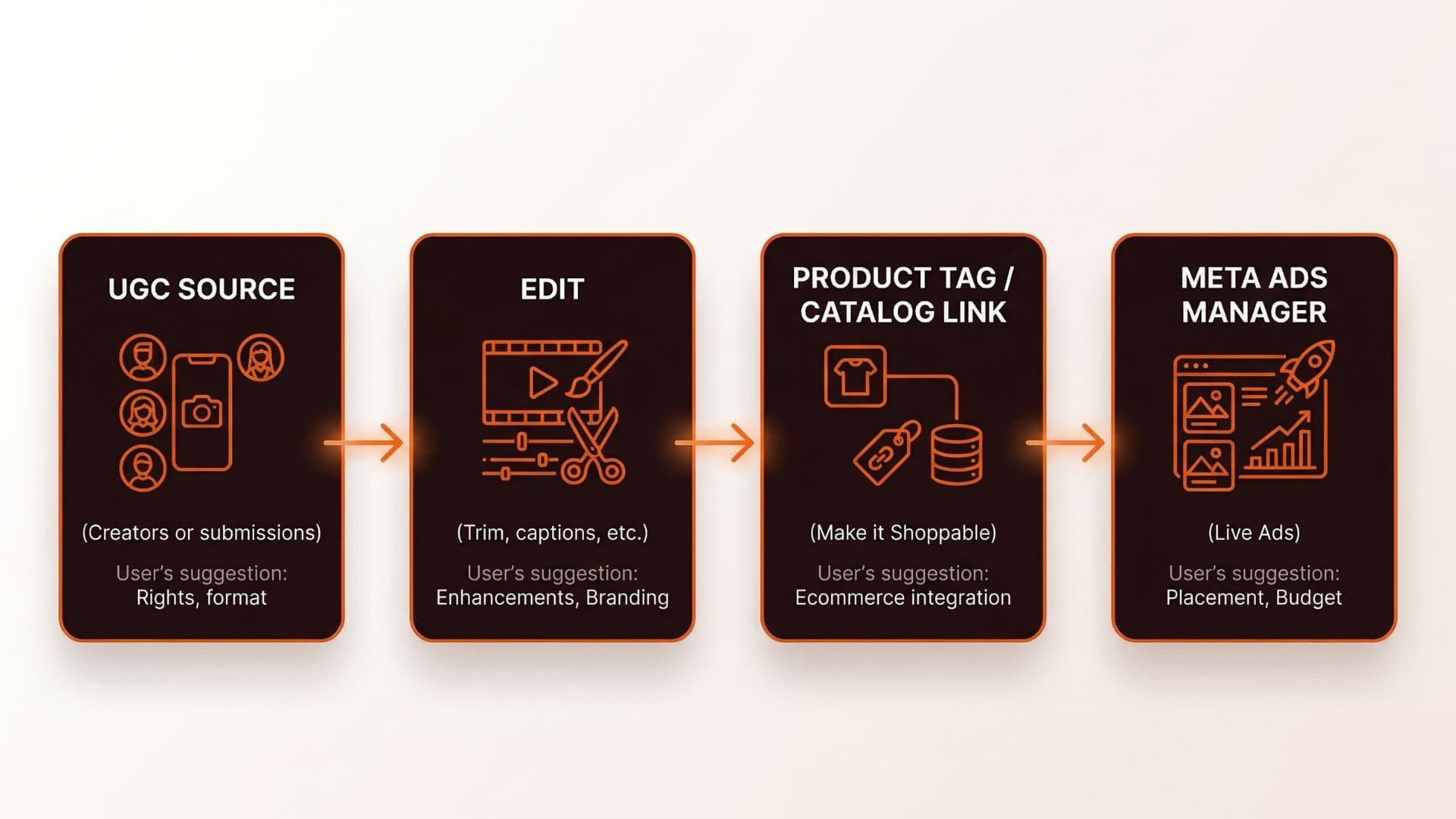
Tools by Use Case
| Use case | What you need | What to check |
|---|---|---|
| Capture / source | UGC from creators or customers (rights, format, delivery). | Platform (e.g. creator marketplace, submission tool), file format, and how you get assets into your pipeline. |
| Edit | Trim, captions, brand overlay, aspect ratio. | Export format (Meta specs), speed, and whether it can pass through to tagging. |
| Tag / shoppable | Add product tags or catalog links to video. | Meta compatibility (catalog, product set), or export for manual tag in Commerce Manager / Ads Manager. |
| Publish to Meta | Push creative to Ads Manager or catalog. | Native integration (API, partner), or manual upload and tag in Meta Business Suite or Ads Manager. |
Use this to score tools: does it solve one of these, and does it plug into Meta (or your approval step) without re-export hell? Common Thread Collective and similar shops stress "tool in the loop, human in the loop"—especially for UGC approval and brand safety. Frame-accurate feedback tools for reviewing UGC videos streamline the approval step and keep versions organized.
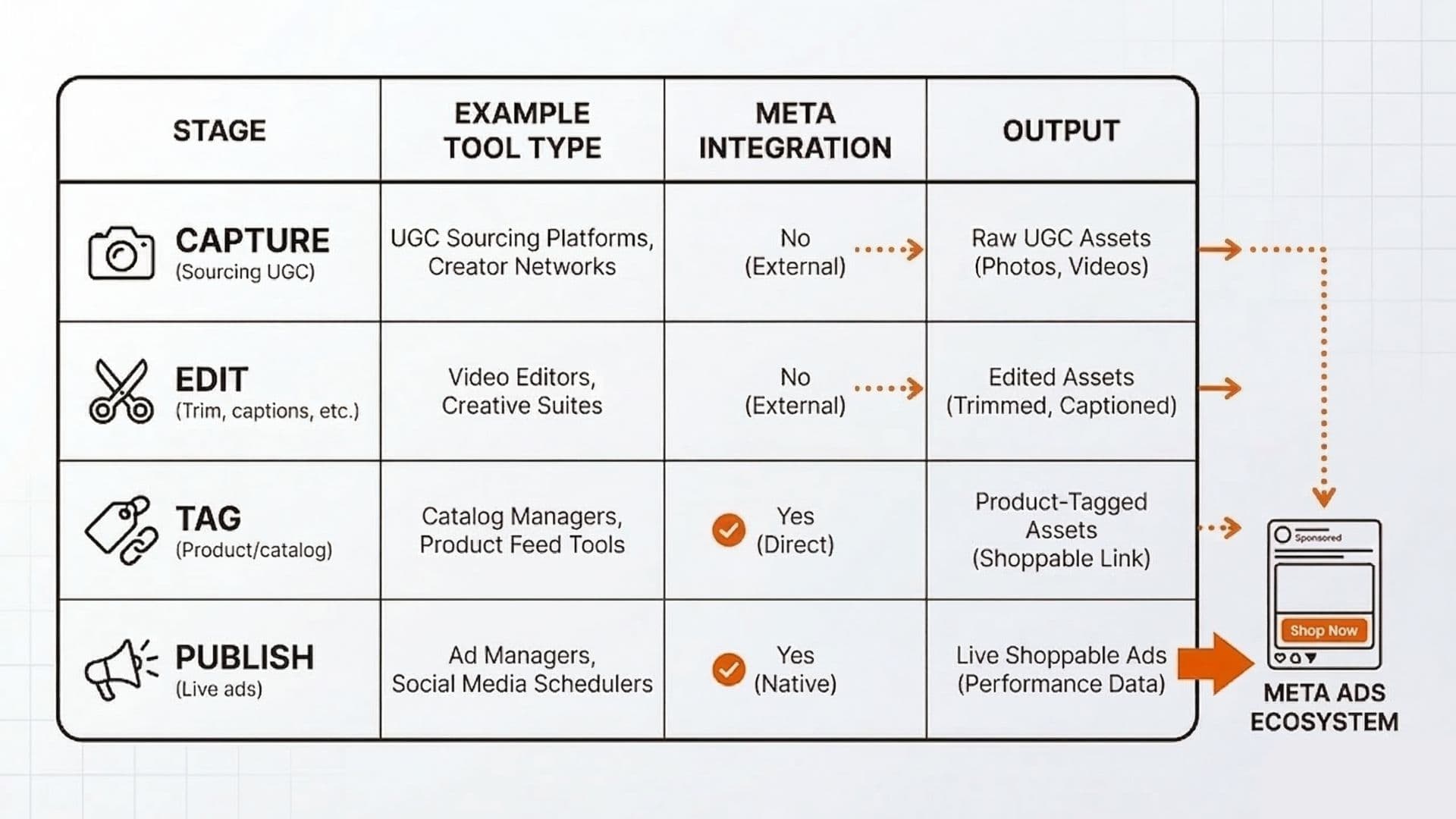
Real-World Example: UGC to Shoppable in Two Weeks
A DTC brand was running static catalog ads and wanted to test shoppable UGC. They had no UGC pipeline. They chose: (1) a creator platform to source 10 clips with rights, (2) an editing tool that could export in Meta's required specs and add a simple product CTA card at the end, and (3) manual upload to Ads Manager and link to their existing catalog. No single "shoppable UGC platform"—they chained three tools and one human step (approve + upload). Within two weeks they had five shoppable UGC ads live. The takeaway: you don't need one magic tool; you need clear handoffs between source, edit, tag, and publish.
What to Avoid
- Assuming one tool does it all. Most "UGC for Meta" tools excel at one layer (sourcing or editing or tagging); map your gaps first.
- Skipping rights and approval. UGC must be cleared for paid use; keep an approval step before anything goes to Ads Manager.
- Ignoring Meta specs. Meta video ad specs (Facebook Ads Guide) and commerce requirements (catalog, product set) define what's actually shoppable; tools must output to that.
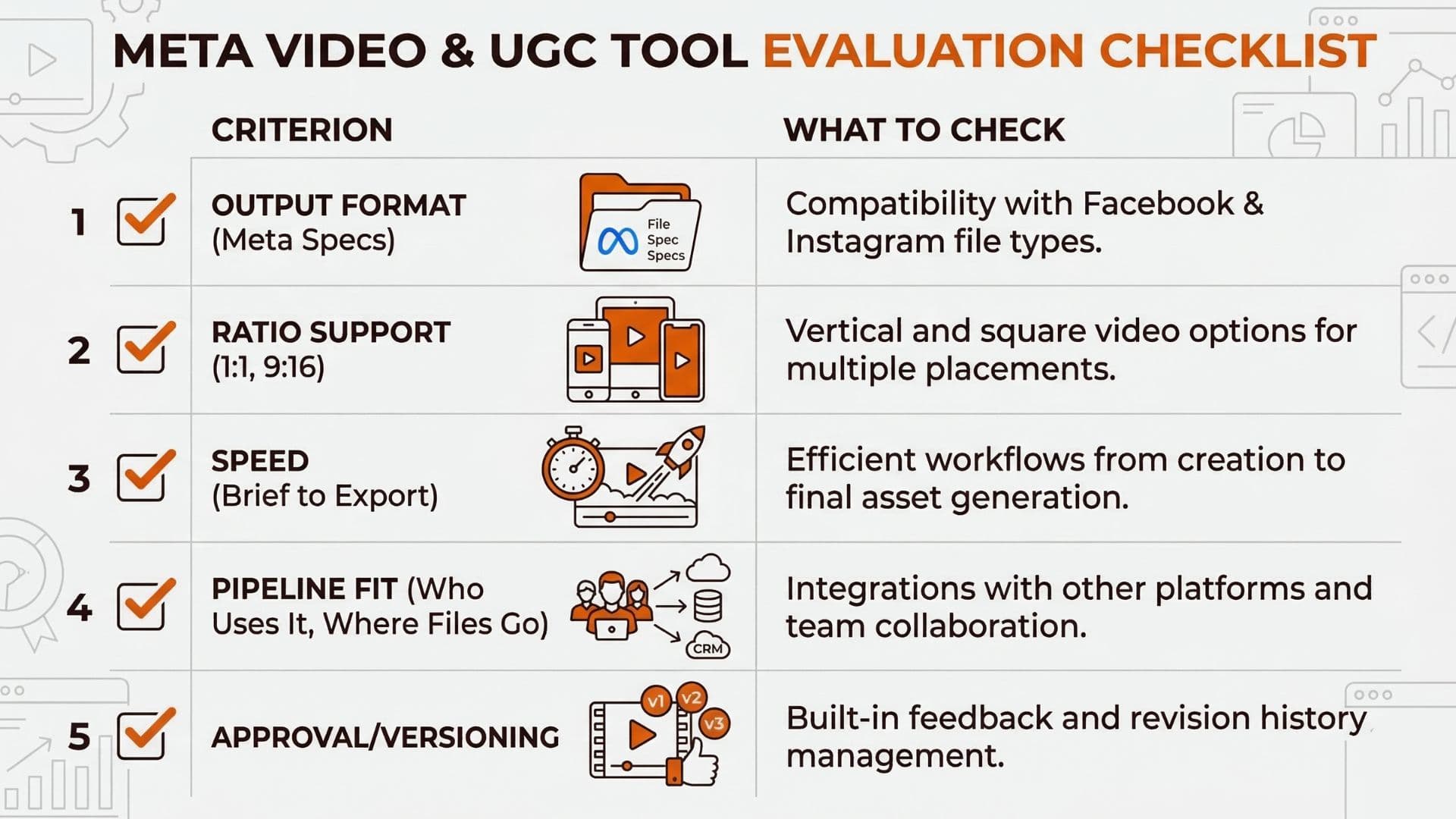
Actionable Takeaway
Map your stack: capture/source → edit → tag (product/shop) → publish to Meta. Use the table above to pick tools by use case and Meta integration; chain them with a clear approval step. Organize UGC assets in a searchable library to avoid duplicate work. For platform updates and commerce features, see meta-ads-updates-february-2026; for creative workflow and approval, see ai-ad-workflow. For inspiration, browse UGC ad examples from winning brands.
Keeping UGC, product tags, and ad creative in one workflow speeds up shoppable tests. Wonderful helps you create and test ad creatives faster so UGC and catalog ads stay in sync.