Wonderful Blog
AI Ad Workflow
Workflow only: automation and tooling, not tool lists.

Published March 11, 2026
AI Ad Workflow
An AI ad workflow is a defined path from brief to launch (and reporting) where AI handles specific steps and humans keep control of strategy and approval. Most content is either high-level "future of AI" or scattered tool tips. This post is workflow-only: how to design and run an AI ad workflow that actually ships.
TL;DR
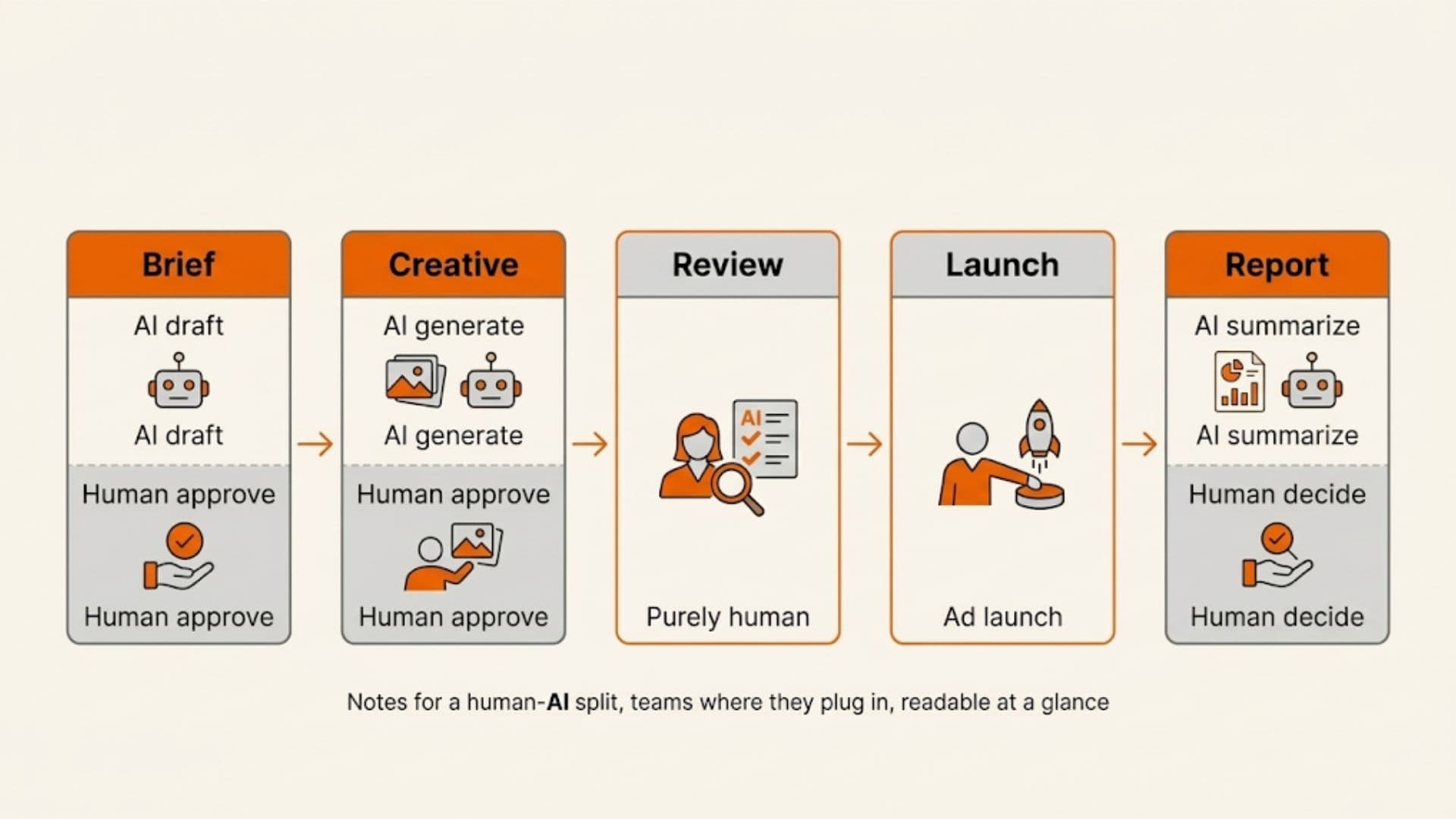
- Define stages: Brief → Creative → Review → Launch → Report. Plug AI into the steps that are repeatable and easy to check.
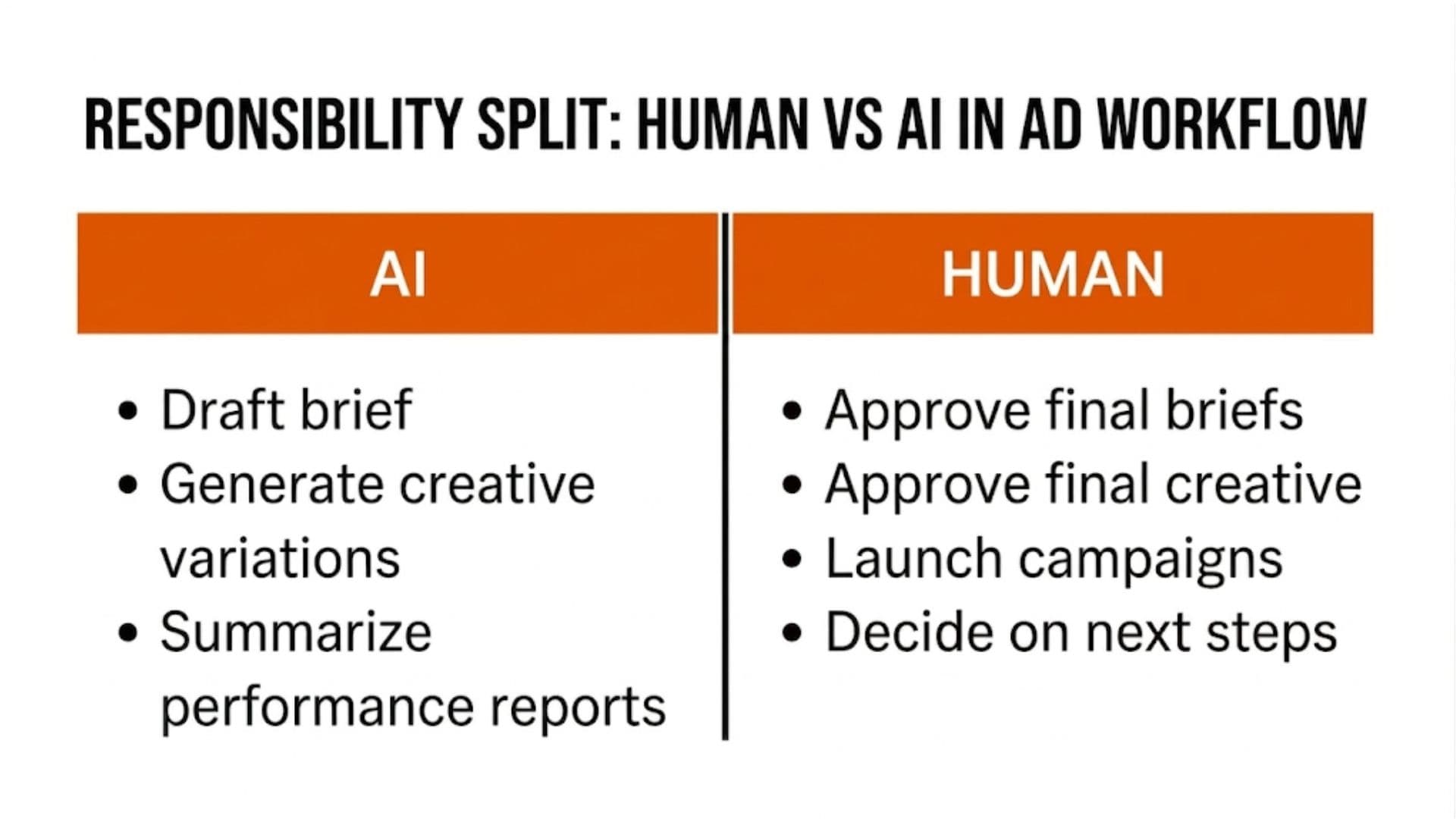
- Keep human gates: Strategy, final creative approval, and go/no-go on tests stay human. AI generates; you approve.
- One workflow diagram below so you can see where AI fits and where it doesn't.
- Integrate with existing tools: Use connectors (Zapier, Make, or native) so briefs and assets don't get stuck in silos.
- Out of scope: Which specific AI tools to pick—see ai-tools-for-media-buyers. This post is workflow design only.
Why Workflow First
Zapier's 2024 automation research shows that teams that map processes before adding automation adopt tools faster and see clearer ROI. For ads, that means: know your current path from brief to live campaign, then add AI at the steps that slow you down (drafting briefs, first-pass creative, report summaries). Don't add AI everywhere at once—you'll get fragmented tooling and no single source of truth.
A Simple AI Ad Workflow
- Brief: Input = campaign goal, audience, constraints. AI = first-draft brief or idea list. Human = finalize brief and assign.
- Creative: Input = approved brief + brand assets. AI = copy variations, image concepts, or cutdowns. Human = approve or revise before production. AI assistants trained on brand context can generate variations faster while maintaining consistency.
- Review: Input = creative + compliance rules. Human = sign-off (AI can flag obvious issues, but don't skip human review).
- Launch: Push to Meta, TikTok, etc. (manual or via API/automation). Human = set live and monitor. Creative workflow with AI built in streamlines this entire process.
- Report: Pull data; AI = summary and "next steps" suggestions. Human = interpret and decide.
Where Automation Fits
- Brief to creative: If your brief lives in a tool (Notion, Airtable, Wonderful), use automation or API to send it to an AI copy or image tool, then route output back into your approval queue.
- Creative to launch: Approved assets should move to your ad platform or a staging area without re-download/re-upload. That often means a DAM or project tool that connects to Meta Business Manager or your ad stack.
- Launch to report: Scheduled pulls from ad platforms into a report or dashboard; AI can draft the narrative or "so what" bullets. Human still owns the readout and decisions.
Creative automation guides often stress the same idea: automate the repeatable steps, keep approval and strategy human. We agree—and the workflow above is the minimal version of that.
Real-World Example
A marketing ops lead runs Meta and LinkedIn. Their workflow: (1) Briefs are written in a shared doc; an AI step generates a first draft from a template. (2) Creative team produces in their usual tool; AI is used only for copy variations and one round of concept thumbnails. (3) Approval happens in their project tool; once approved, assets are uploaded to the ad platforms. (4) Weekly report is pulled from Meta and LinkedIn; AI summarizes and suggests 2–3 next steps. The whole loop is documented in one place so everyone knows where AI runs and where it doesn't. No new "AI platform"—just clear stages and gates.
What Goes Wrong When Workflow Is Ignored
- Fragmented tooling: AI in one app, creative in another, approval in a third. Nothing connects; handoffs break.
- No single source of truth: Multiple versions of briefs or creative; unclear what's approved.
- AI without gates: Output goes straight to "done" without review. Brand and compliance risk.
Actionable Takeaway
Map your path: Brief → Creative → Review → Launch → Report. Assign AI to draft/summarize steps and humans to approve and decide. Integrate so briefs and assets flow through one workflow. For more on AI for media buying, see ai-tools-for-media-buyers; for broader workflow strategy, explore creative velocity and scaling ad spend efficiently.
Keeping briefs, creative, and approvals in one workflow makes it easier to add AI where it helps. Wonderful connects briefs, assets, and approvals so you can automate creative production without losing control.