Wonderful Blog
LinkedIn Ads for SaaS

Published March 14, 2026
LinkedIn Ads for SaaS
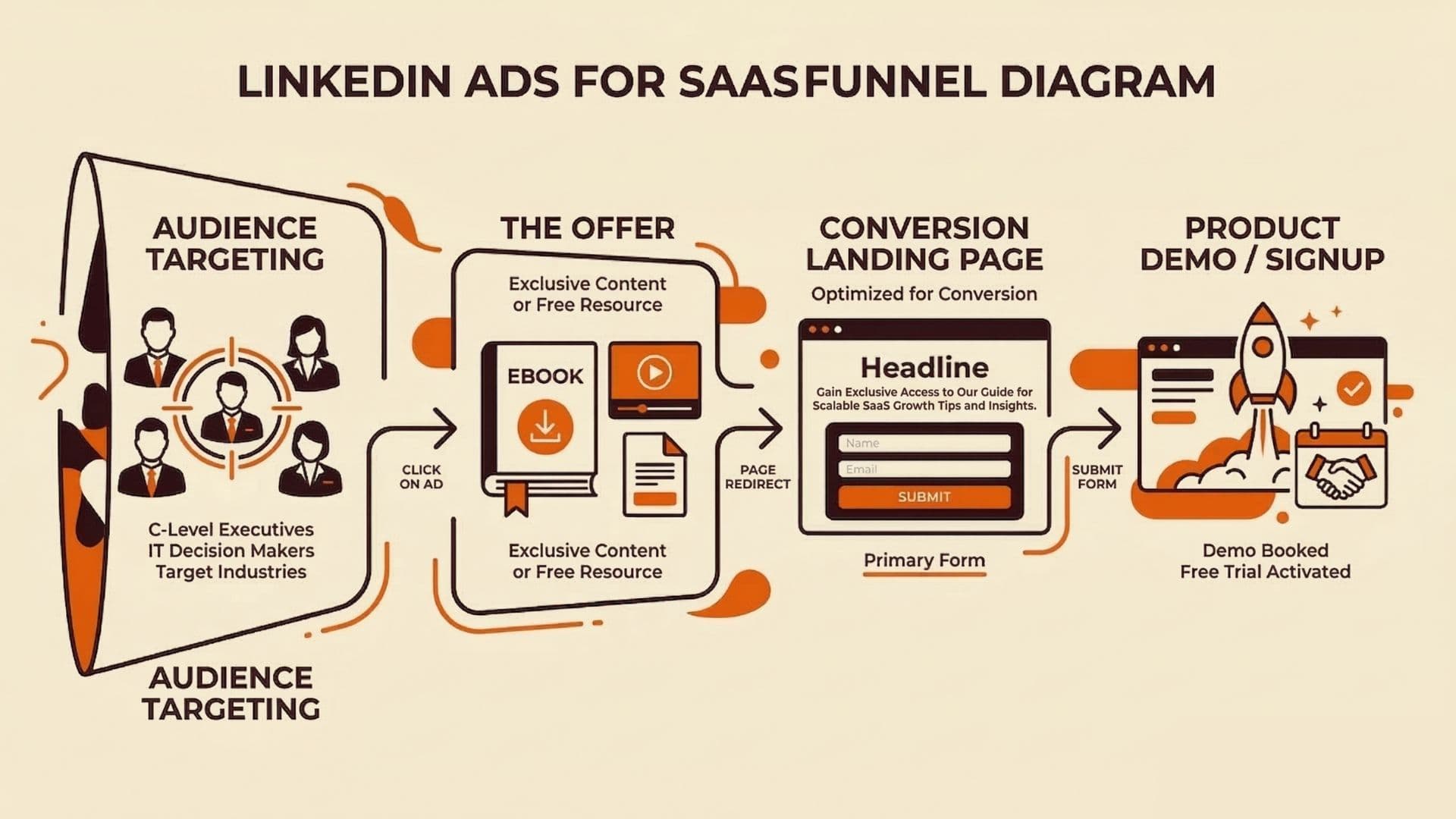
LinkedIn can be great for SaaS, but only if you treat it like a B2B sales workflow, not a generic lead-gen channel.
The key difference: SaaS purchases usually have a longer cycle, multiple stakeholders, and conversion events that are less immediate than ecommerce. This post focuses on how to adapt LinkedIn ads so your offers, audiences, and conversion paths map to real SaaS buying.
TL;DR
- Build offers around the sales motion. Align content and CTAs to where buyers are in the journey (problem discovery, evaluation, demo request).
- Use audience strategy as a workflow. Start with intent-like audiences, then expand with lookalikes or broader segments once you have signal.
- Design for lead quality validation. On LinkedIn, “lead volume” is not enough; you need a quick path to quality feedback.
- Keep the scope SaaS-specific. Not every LinkedIn ad strategy works the same for SaaS.
The Core SaaS Problem LinkedIn Solves
LinkedIn is strongest when your creative answers one of these questions:
- “Does this vendor understand my role and problem?”
- “Will this solve something we can justify internally?”
- “Do we have proof this works for teams like ours?”
For SaaS, “proof” usually means a mix of customer outcomes, credible technical details, and clear implementation expectations.
Offer + Audience Pairing (What to Build First)
Start with a simple pairing model:
- Offer stage: What are you asking the buyer to do?
- Audience stage: Who do you think is ready to do it?
- Creative job: What must your ad prove so the buyer clicks and engages?
Example pairing (simple and repeatable):
- Problem discovery offer (download, short guide) paired with broad role-based targeting.
- Evaluation offer (case study, ROI story) paired with narrower personas and higher-engagement audiences.
- Demo/trial CTA paired with the segments that can actually talk to sales (or have enough intent signal).
LinkedIn Campaign Structure (A Practical Build)
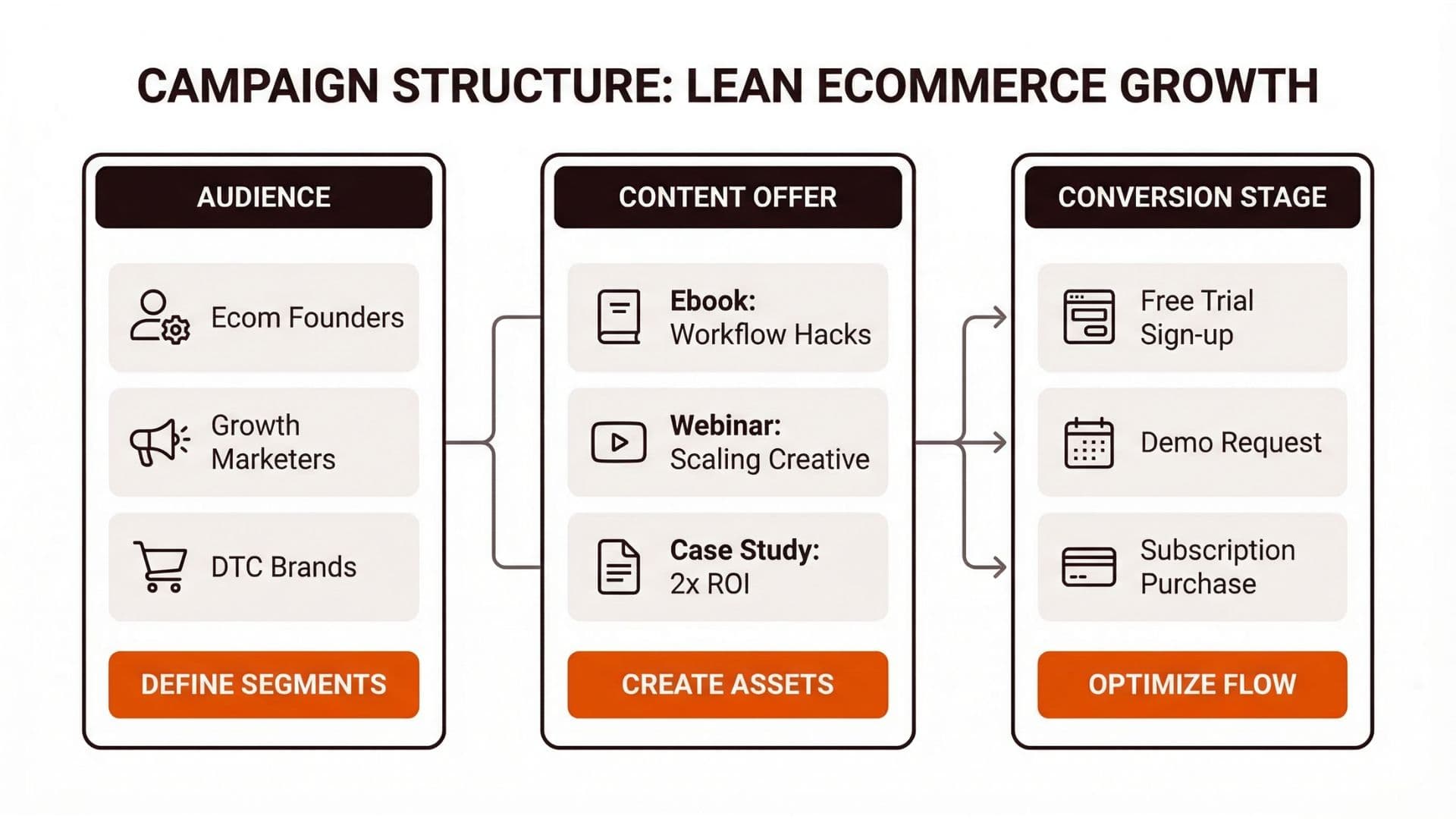
Instead of creating “one campaign per ad format,” structure it around your workflow:
- Top funnel: role-based audiences + content that frames the problem and the approach.
- Mid funnel: engaged users + evaluation proof assets (case study, comparison, implementation notes).
- Bottom funnel: retargeting with a clear next step (demo/trial) and sales-aware messaging.
Your job is to keep data flowing forward:
- Each stage should generate enough engagement signal to inform the next.
- Each stage should have a measurable conversion path (even if the final purchase is off-platform).
How to Validate Lead Quality (Without Overcomplicating)
Because SaaS has a longer cycle, you need a lightweight quality validation loop:
- Track whether leads reached the next business step (reply, booked meeting, demo attended, or qualified opportunity stage).
- Feed that back into your campaign review so you can adjust targeting and offer strength.
If you only optimize for early clicks or form fills, you can end up with a high-volume funnel that does not convert in sales.
If you’re using LinkedIn Lead Gen Forms, LinkedIn supports building audiences based on form engagement via Matched Audiences—so you can separate “opened form” from “submitted form” behaviors and retarget more precisely. For reference: Create a Lead Gen Form audience with Matched Audiences.
When to Bring an Agency In (and when not to)
If you need a second team to run and iterate, a LinkedIn Ads agency can help. The decision should be about structure and control: reporting cadence, asset ownership, and how they work inside your account.
For evaluation criteria, see LinkedIn Ads Agency. For a creative production workflow for B2B teams, see our workflow product. For research and inspiration, browse B2B ad creative.
Actionable Takeaway
To run LinkedIn Ads for SaaS:
- Pair offers to journey stages and audiences.
- Build a funnel workflow (Top -> Mid -> Bottom) that feeds data forward.
- Validate lead quality using the next sales step, not just click volume.
- Iterate based on outcomes, not assumptions.
If you want faster creative iteration aligned to your offer stages, Wonderful helps keep creative and workflow approvals connected so your SaaS ads don't stall between research and production. See also LinkedIn Thought Leadership Ads for mid-funnel authority-building.
Soft CTA
Wonderful can help you connect audience research, creative production, and approvals so your SaaS LinkedIn workflow stays consistent.