Wonderful Blog
Facebook Ads Dashboard

Published March 17, 2026
Facebook Ads Dashboard
Most dashboard posts fail at the same thing: they show you the interface but they don't tell you what to look at first when decisions matter. If you want the dashboard to drive action, you need a metric priority order and a repeatable review rhythm.
This post is scoped to dashboard reading and interpretation. It is not a full campaign setup guide, and it is not a reporting-tool comparison.
TL;DR
- Start with delivery and cost context: frequency + cost behavior explain why your CPA moved before you chase "creative changes." (Meta Ads reporting tools)
- Use a priority hierarchy: delivery -> cost -> click quality -> conversion, in that order, so you don't react to noise.
- Review on a schedule: weekly checks catch learning/delivery shifts early and prevent reactive thrash.
- Document decisions: every dashboard review should end with a "next change or no change" decision.
What the Dashboard Should Answer
A good dashboard answers three questions before you change anything:
- Is delivery behaving? Are you seeing stable distribution or a volatility spike that suggests learning/delivery churn?
- Is cost stable? Are you paying more for the same outcome, or paying more because conversion volume changed?
- Is performance improving for the right reason? Click quality and conversion help you separate "more clicks" from "more value."
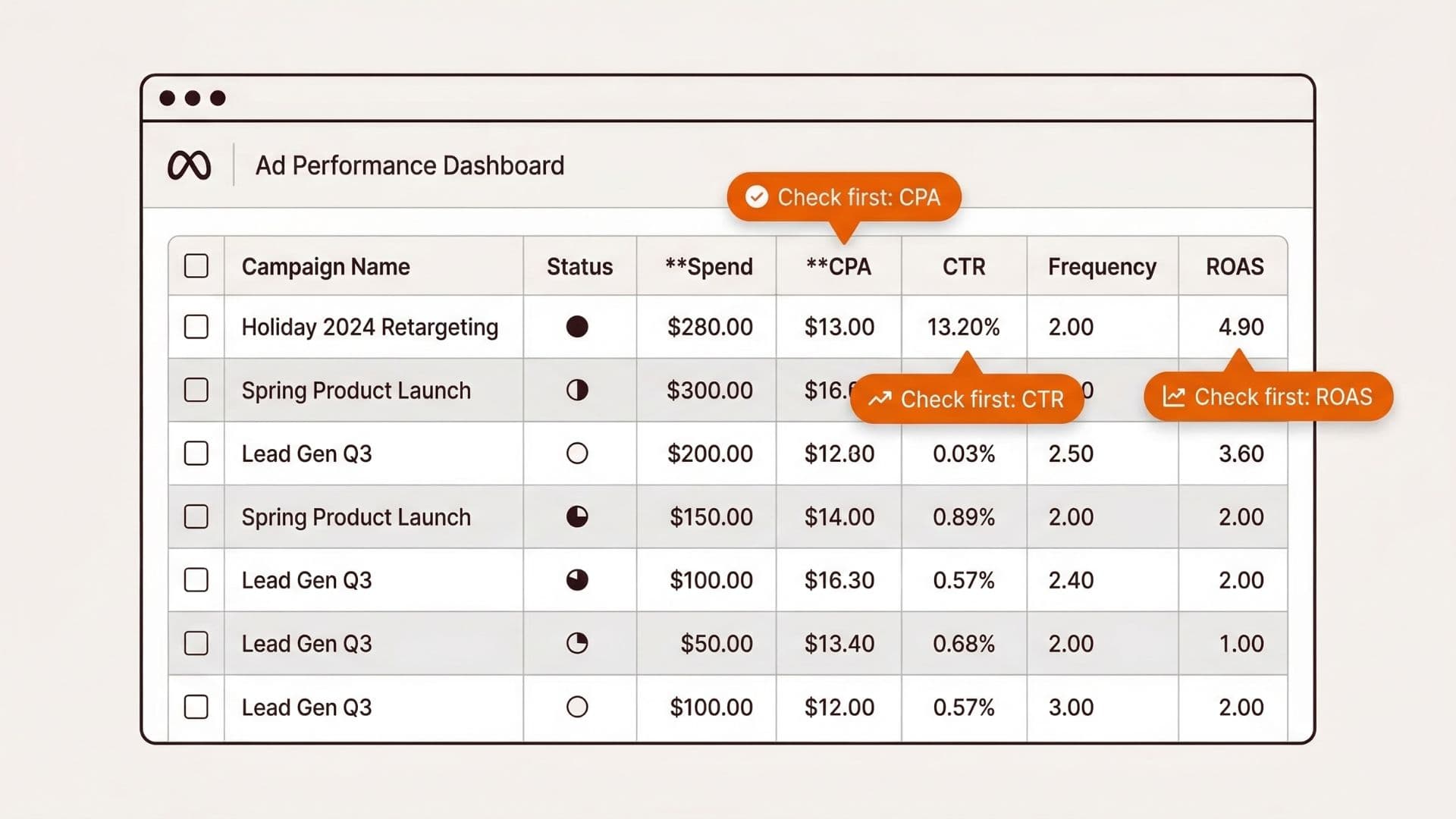
Metric Priority Hierarchy (Don’t Skip the Order)
If you check metrics in the wrong sequence, you turn the dashboard into a blame machine.
Use this order every time you review:
- Delivery state: frequency and delivery stability first. If delivery is shifting, don't attribute performance changes to creative yet.
- Cost behavior: spend and CPA movement next. This tells you if the system is paying more/less for the same efficiency.
- Click quality: CTR and related engagement quality as a diagnostic, not as the goal. High CTR with weak downstream conversion usually means the ad is earning attention but not qualified interest.
- Conversion result: what the optimization event indicates (leads, purchases, etc.). Only after delivery + cost context is clear.
Meta documents how Ads reporting and breakdowns help you understand performance across time and delivery dimensions, which is why delivery-context belongs above "creative blame." (Meta Ads reporting tools; About Meta Ads Reporting)
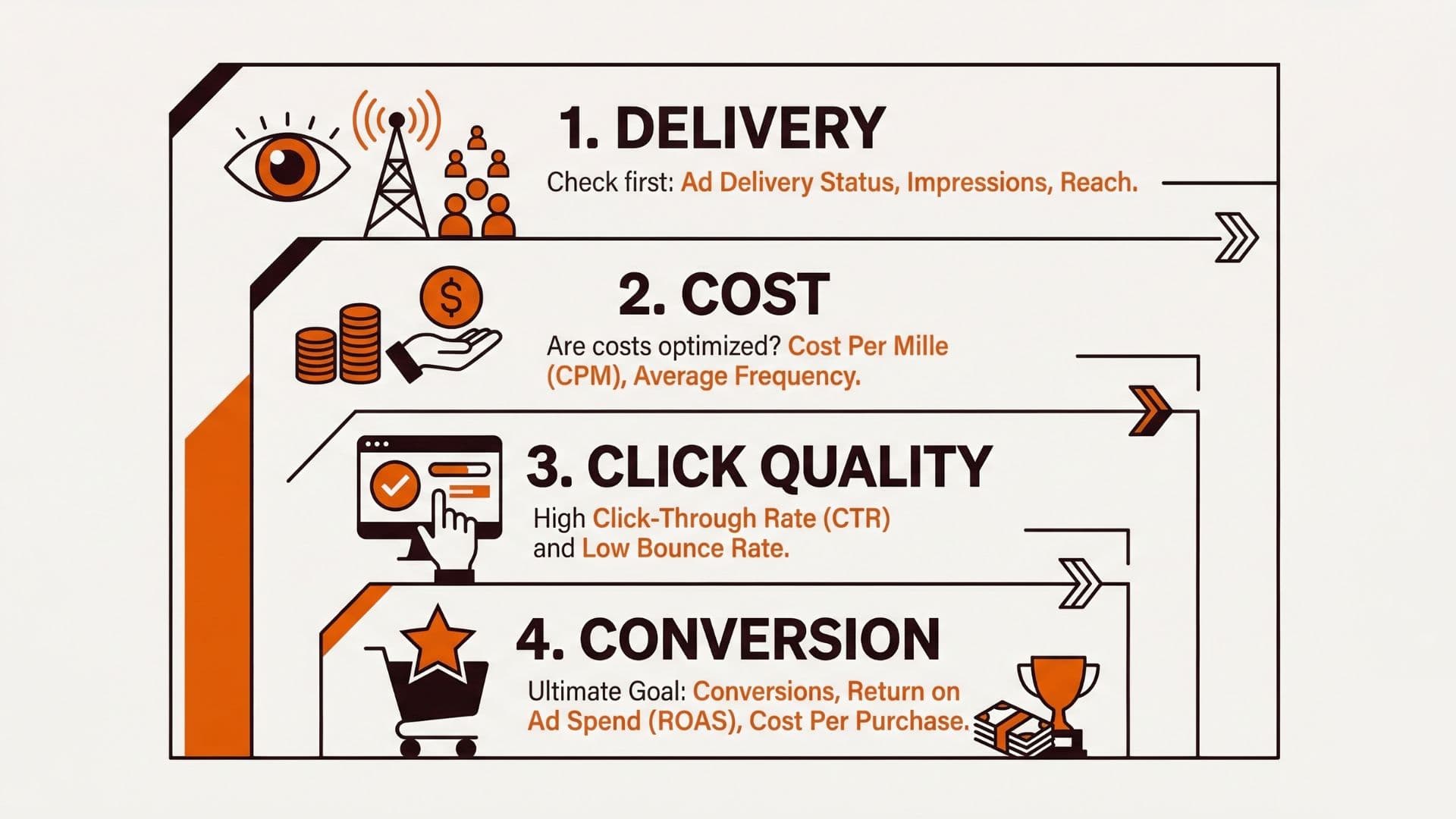
A Weekly Dashboard Review Checklist
Run this once per week (or once per campaign cadence if you're smaller). Make it fast, strict, and consistent:
- Compare against the last review: did delivery and cost behave similarly to last week?
- Spot the biggest cost driver: higher CPA from cost spike vs conversion drop vs both.
- Check frequency + pacing: if frequency jumps, examine whether delivery changed before you change creative.
- Review click quality: if CTR rose but conversions did not, the issue is likely relevance/offer mismatch.
- Decide next action: pick one:
- no change (if delivery is stable and conversion is acceptable variance)
- change creative (if CTR and downstream conversion indicate relevance mismatch)
- change targeting/structure (if delivery distribution changed for the same objective)
Meta also supports creating and exporting customized reporting, which makes consistent review easier when your dashboard is parameterized rather than recreated manually every week. (About Meta Ads Reporting)
Real-World Example: Fixing "CPA Spikes" Without Thrashing Creative
One media buyer I worked with kept blaming creative whenever CPA spiked. The dashboards showed the spike, but nothing else was checked. After adding a strict priority order:
- Delivery state was volatile (frequency rising unexpectedly).
- Cost increased at the same time, which matched delivery churn rather than creative failing.
- Click quality held steady, suggesting the ad was still relevant enough to earn traffic.
- Conversion fluctuations were tied to short-term variance while the system rebalanced delivery.
Their new rule was simple: if delivery volatility is present, you pause creative changes for one review cycle and focus on structural stability instead. CPA improved after the delivery state stabilized, without turning into reactive ad edits.
Actionable Takeaway
Use the dashboard as a decision tool, not a status display:
- Check delivery context first (frequency).
- Check cost next (spend/CPA movement).
- Diagnose click quality (CTR and downstream relevance).
- Only then decide what creative/structure change is warranted.
If you want deeper context on interpreting delivery and learning behavior, use Meta's reporting guidance and diagnostics from Ads Manager. For what to budget and how to avoid starved learning, see Facebook Ad Budget Calculator. A creative workflow dashboard with performance context connects what the dashboard tells you to your creative decisions. For broader performance optimization, see 7 Free Tools to Supercharge Meta Ad Performance.
Soft CTA
If you want dashboards to drive faster decisions, Wonderful can help you keep research, creative production, and approval aligned so changes happen based on the dashboard review workflow, not gut feel.