Wonderful MCP
Claude + Wonderful = Magic.
Add our MCP connector to create briefs, manage tasks, upload assets, and more.
- Write creative briefs in Claude and move them straight into Wonderful.
- Plan campaigns, manage workflow, and keep execution moving from one chat.
- Analyze real ad, email, and lander examples
- Connect once with OAuth and start prompting immediately.
 Claude
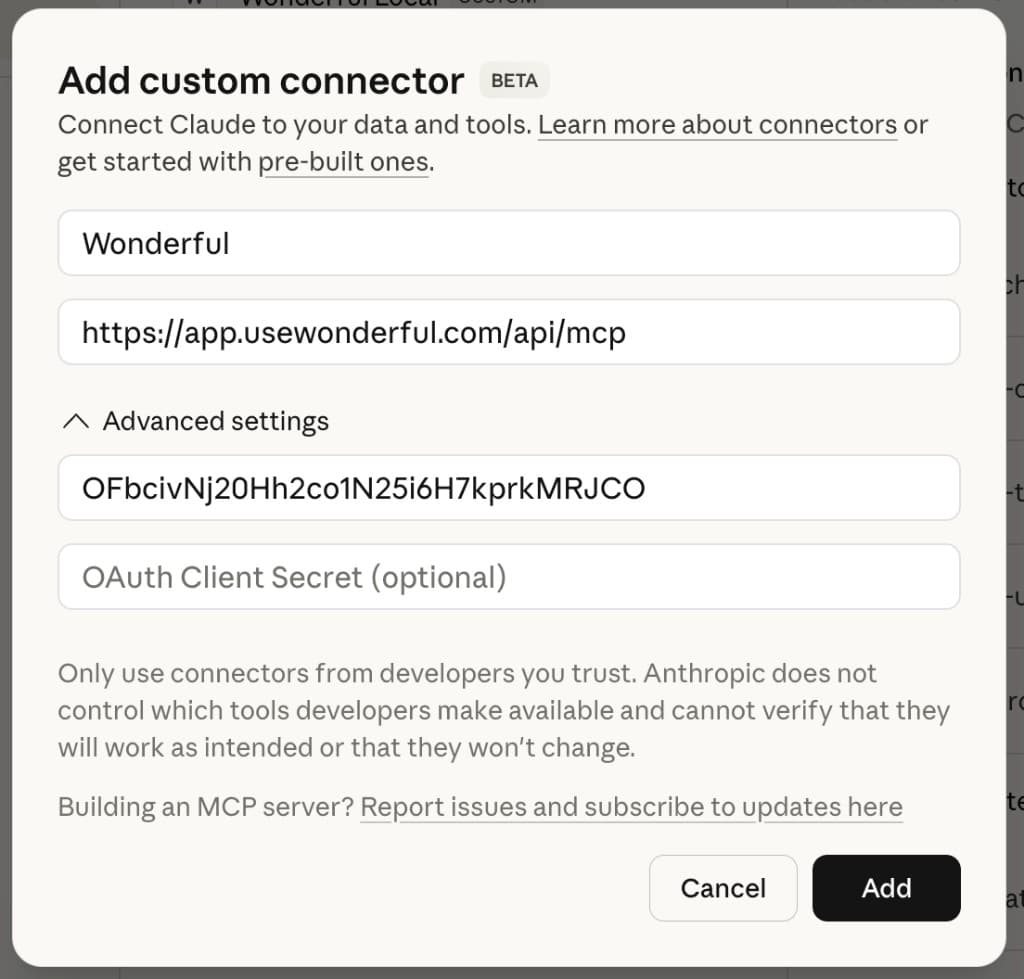
How to add MCP to Claude
- 1. In Claude, open Customize > Connectors > +
- 2. Enter these values:
- Name: Wonderful
- URL: https://app.usewonderful.com/api/mcp
- ClientID: OFbcivNj20Hh2co1N25i6H7kprkMRJCO
- 3. Press Connect to log in.