0:00browsing cricut vinyl
The scene opens with a close-up, high-angle shot looking down a brightly lit aisle in a craft store. Various rolls of Cricut vinyl, primarily in red, orange, and green, are neatly displayed on a white metal shelving unit. The rolls are stacked vertically, showcasing their labels which include product names like 'StrongBond SportFlex Iron-On' and 'Permanent Glossy Permanent Vinyl.' A female hand, with long white fingernails and wearing a colorful beaded bracelet, reaches into the frame from the right, interacting with the rolls. The background is a blurry mix of other products and white shelving, suggesting a retail environment. A white text overlay at the bottom left reads 'I LOVE FINDING'. The overall color palette is vibrant with the product packaging against the sterile white shelving. The lighting is bright and even, casting minimal shadows.
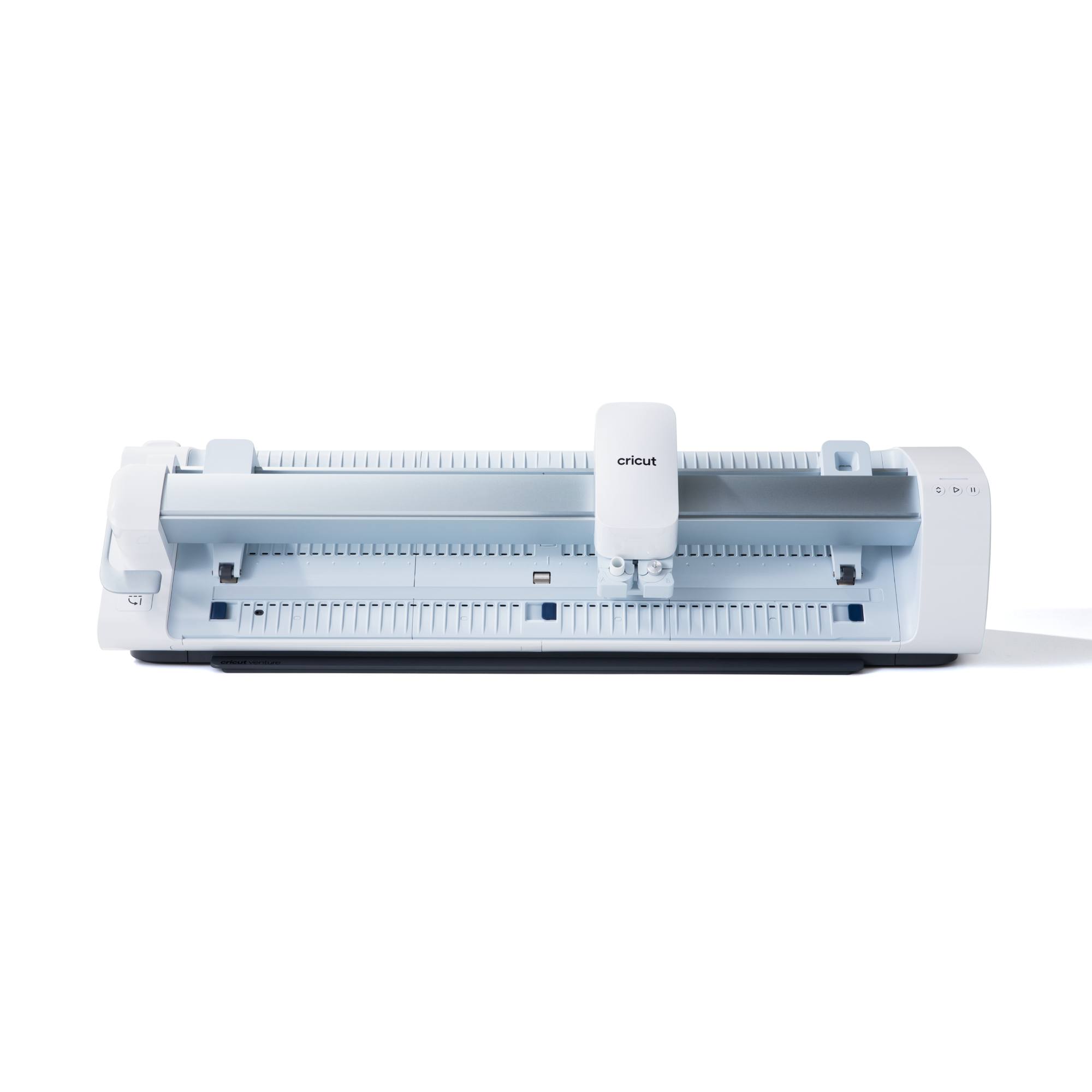
0:01placing cricut machine on table
A medium shot captures a woman placing a beige Cricut cutting machine onto a clean, white tabletop. The machine is front and center, a sleek, rectangular device with a hinged lid. In the background, a small portion of a light-pink top is visible, worn by the woman. A blurred white door is seen behind her, indicating an indoor, possibly kitchen or craft room, setting. The lighting is soft and natural, illuminating the white surfaces. A white text overlay at the bottom left reads 'PERSONAL'. The scene is tidy and minimalist, highlighting the craft machine as the focal point.
0:03preheating easypress
A top-down shot shows a hand pressing the power button of a light blue Cricut EasyPress heat press. The heat press, a flat, rectangular device with a digital display, rests on a white countertop. The display shows '350 °F' and '30 s'. In the upper left background, a large white decorative bowl filled with light pink peonies and eucalyptus leaves provides a soft, elegant touch. The background is slightly blurred, focusing attention on the heat press. The lighting is bright and even, highlighting the clean surfaces. A white text overlay at the bottom left reads 'PERSONAL AND WITH MY CRICUT AND MY EASYPRESS'.
0:04cricut design space text entry
A close-up shot focuses on a MacBook Pro screen displaying the Cricut Design Space software. The canvas is a grid, and the user is typing the word 'Text'. The text box initially shows '1.89 in x 1.57 in'. The top bar of the application shows 'Cricut Design Space', and menu options like 'File', 'Edit', 'View', 'Home', and 'Canvas' are visible. A small pop-up on the screen also highlights 'Font Cricut Sans' and 'Style Regular'. The rest of the laptop keyboard and touchpad are visible at the bottom of the frame, showing a few fingers typing. The lighting is bright, originating from the screen itself. A white text overlay at the bottom left reads 'EASY, AND LOOKS TOTALLY PROFESSIONAL.'
0:06cricut design space font search
The scene is a close-up of a MacBook Pro screen, focusing on the Cricut Design Space interface. A search bar at the top displays 'fancy lettering' with results showing various decorative fonts, including multiple options for the letter 'W' in different styles. The left sidebar shows options like 'Templates', 'Projects', 'Shapes', 'Images', 'Text', and 'Monogram'. The canvas area shows a single 'W' selected. The screen emits a soft, cool light. A white text overlay at the bottom left reads 'I DESIGNED THE MONOGRAM IN CRICUT DESIGN SPACE'.
0:07cricut design space adjusting monogram
A close-up shot of a MacBook Pro screen displays the Cricut Design Space, where a large, ornate purple letter 'W' is being manipulated on a grid canvas. The top information bar shows 'Untitled Project*' and various editing options. Below the 'W', a smaller 'W' is also present, suggesting duplication or layered design. The user interface elements like sizing boxes and a cursor are visible. The screen's light illuminates the scene with a cool tone. A white text overlay in the top right states 'I have the Cricut Access membership which gives you access to sooo many cute fonts and images', while another at the bottom left reads 'THEY HAVE SO MANY CUTE FONTS AND YOU CAN SORT THEM'.
0:10cricut design space sorting fonts
The scene is a close-up on a MacBook Pro screen showing the Cricut Design Space. On the canvas, multiple instances of the letter 'W' and 'M' in an ornate blue font are visible, being dragged around. A text box showing 'x:4.79 y:1.69' is attached to one of the 'M's, indicating precise positioning. The top menu bar shows options like 'Font', 'Style', 'Letter Space', 'Line Space', 'Alignment', and 'Curve'. The screen's cool light provides the main illumination. A white text overlay at the bottom left states 'SO IT MAKES FINDING THE PERFECT FONT FOR YOUR PROJECT SUPER'.
0:12cricut design space welding layers
A close-up on a MacBook Pro screen shows the Cricut Design Space interface, specifically the 'Layers' panel on the right. Multiple text layers, identified as 'M Basic Cut' and 'T W', are visible. The main canvas area is bright white, suggesting the user is working with a light background. A white text overlay in the center reads 'Since it was a 2 layer font I welded the layers together to make it a single color!'. The screen's light provides the primary illumination for this focused shot. The overall ambiance is clean and organized, typical of a digital design workspace. At the bottom left, a partially obscured white text overlay reads 'WHAT'.
0:15cricut design space welded letters
The shot is a close-up of a MacBook Pro screen, displaying the Cricut Design Space. On the grid canvas, a stylized purple 'W', 'A', and 'M' are arranged, with the 'W' selected, indicated by a bounding box. The 'Layers' panel on the right shows 'Weld Result Basic Cut' and other layers, reinforcing that the shapes have been welded. The top of a white Cricut machine is visible in the blurred background. The screen emits a soft, cool light. A white text overlay at the bottom left reads 'WHAT I FOUND WAS TWO LAYERS SO I WELDED IT INTO ONE.'.
0:17cricut design space changing color
A close-up shot focuses on a MacBook Pro screen showing the Cricut Design Space. The 'W' and 'A' letters are visible on the canvas in a light purple color. A color palette dropdown menu is open, displaying a wide range of color swatches. The user is in the process of selecting a new color for the design. The blurred background shows parts of a white Cricut machine and a white countertop. The screen provides the main light source, giving a cool, digital aesthetic. A white text overlay at the bottom left reads 'ONCE I HAD THE INITIAL SETUP IN CRICUT DESIGN SPACE'.
0:19measuring fabric
A close-up shot shows a female's hands holding a white fabric square, measuring it with a retractable tape measure. The fabric appears to be a tea towel or similar linen. The tape measure shows markings in both inches and centimeters, with the user focusing on the inches. The background is a clean, white surface, likely a countertop or desk. The lighting is bright and even, highlighting the fabric and the measuring tape. A white text overlay in the center of the screen reads 'I made all of my letters 3.5" x 3.65"'. At the bottom left, an overlay continues 'ONCE I HAD THE INITIAL SETUP IN CRICUT DESIGN SPACE'.
0:20preparing cricut mat
An overhead shot displays a white Cricut Explore 3 cutting machine with its lid open, revealing the internal components. Below it, a bright green Cricut cutting mat, marked with a grid, lies flat on a white surface. The machine is the focal point, positioned towards the top of the frame. The background shows a continuation of the clean, white countertop. The lighting is bright and direct, casting soft shadows. A white text overlay at the bottom left reads 'ONCE I HAD THE INITIAL SETUP IN CRICUT DESIGN SPACE, I CUT'.
0:21showing iron on vinyl roll
A close-up shot focuses on a female's hands holding a roll of Cricut SportFlex Iron-On vinyl in a vibrant orange color. The roll is in its clear plastic packaging, with product details and a picture of a smiling woman on the label. The background is a blurred white Cricut machine and a green cutting mat. The lighting is bright and even, highlighting the product. A white text overlay at the bottom left reads 'ON IRON-ON'.
0:22placing vinyl on mat
An overhead shot shows a female's hands unrolling a white sheet of SportFlex Iron-On vinyl onto a green Cricut cutting mat. The mat is positioned directly below a white Cricut Explore 3 machine, which is open and ready. The vinyl has a matte finish, covering a significant portion of the mat. The background is a clean, white countertop. The lighting is bright and even, creating a crisp and clear image of the crafting process. A white text overlay in the center reads 'THE SPORTFLEX IS MY GO-TO FOR TEXTURED FABRIC LIKE TOWELS.'. A white text box in the upper right states 'I used the Cricut SportFlex Iron-On Vinyl'.
0:25cricut design space settings
A close-up shot of a MacBook Pro screen shows the Cricut Design Space 'Make' screen. The left panel lists various material types for cutting, such as 'Holographic Sparkle Iron-On', 'Metallic Iron-On Mosaic', and 'SportFlex Iron-On', which is highlighted. A pop-up message on the screen titled 'Mirror On' instructs the user that Design Space automatically mirrors for iron-on. The screen displays recommended settings for 'SportFlex Iron-On', including options for loading tools and material. The background is a white Cricut machine with its lid open. The screen is the primary light source. A white text overlay at the bottom left reads 'IT HOLDS SO WELL AND IT LOOKS SUPER CLEAN AND'.
0:28cricut machine cutting
A close-up shot focuses on the cutting head of a white Cricut Explore 3 machine. The cutting head, a small white unit with a blade, moves along a metal rail, poised to cut material. The machine's clean, minimalist design is prominent against a white surface, with a green cutting mat visible underneath. The lighting is bright and even, highlighting the mechanical precision of the machine. The scene implies preparation for a precise cutting task. A white text overlay at the bottom left reads 'HAS A LITTLE BIT'.
0:29weeding vinyl letter a
An overhead shot captures a female's hands 'weeding' a cut vinyl letter 'A' from a sheet of orange iron-on vinyl. The orange vinyl is on a clear backing sheet, which is placed on a green Cricut cutting mat. Her left hand holds down the vinyl, while her right hand uses a white Cricut weeding tool to carefully peel away excess vinyl around the letter 'A'. The background is a clean, white countertop. The lighting is bright and even, providing a clear view of the intricate process. A white text overlay at the bottom left reads 'YOU CAN MAKE THESE AS COMPLEX OR AS SIMPLE AS YOU'D LIKE'.
0:32preparing easypress for application
A medium shot shows a female's hands placing a light blue Cricut EasyPress heat press onto a gray pressing mat. The heat press is initially removed from a gray safety base, then carefully positioned. In the upper left background, a white decorative bowl with pink peonies and eucalyptus leaves adds a touch of elegance. The setting is a clean, white countertop. The lighting is bright and even, highlighting the crafting equipment. A white text overlay at the bottom left reads 'I'M PERSONALLY DOING THREE HOSTESS GIFTS WITH ONE INITIAL PER TOWEL.'.
0:35cricut heat app overview
A screen recording shows the Cricut Heat app interface on a mobile device. The screen displays 'Welcome back, Shelby.' and indicates 'EasyPress 3-0743: Connected' via Bluetooth. The main section shows 'My Heat Presses' with an image of the Cricut EasyPress 3. Below, 'Last Used' item is 'Everyday Iron-On / Lite / Metallic 100% Cotton' with recommended settings. The background of the phone screen is white, with clear, legible text. A white text overlay at the bottom left reads 'THEN I OPEN THE CRICUT HEAT APP'.
0:37cricut heat app settings
A screen recording shows the 'Project Overview' section of the Cricut Heat app. The screen displays recommended settings for 'Everyday Iron-On / Lite / Metallic 100% Cotton' including '1. Preheat Blank: 5 s', '2. Press: 30 s', and '3. Peel: Cool' with a temperature of '315 °F'. A 'Detailed Instructions' button is visible, along with a 'What You Need' list detailing items like 'Cricut EasyPress® 3' and 'Iron-on design'. At the bottom, a 'Send Settings to EasyPress' button is displayed. The screen has a clean, white background with clear text. A white text overlay at the bottom left reads 'SENT THE SETTINGS TO MY EASYPRESS 3 AND JUST FOLLOW THE STEPS. IT'S'.
0:40cricut heat app sending settings
A screen recording of the Cricut Heat app shows 'Sending Settings to EasyPress 3-0743' at the top, with a Bluetooth icon indicating connectivity. A graphic of the Cricut EasyPress 3 is centered on the screen, visually confirming the connection. The background is pure white. This shot is minimalist and focuses solely on the digital interaction between the app and the device. A white text overlay at the bottom left reads 'IT'S TOTALLY FOOLPROOF, NO SECOND GUESSING, NO BURNT TOWEL.'.
0:41cricut heat app preheat blank instruction
A screen recording of the Cricut Heat app displays '1. PREHEAT BLANK' and '5 s' with the instruction 'APPLY FIRM PRESSURE'. A large red circle at the top shows '349 °F' and '39 sec left'. Below, a graphic of a gray pressing mat is shown, visually guiding the user. The background is pure white. This scene provides clear, step-by-step instructions for using the heat press. A white text overlay at the bottom left reads 'IT'S TOTALLY FOOLPROOF, NO SECOND GUESSING, NO BURNT TOWEL.'.
0:43cricut heat app preheat blank animation
A screen recording of the Cricut Heat app displays the 'PREHEAT BLANK' step. The top red circle shows '348 °F' and '33 sec left'. Below the instruction to 'APPLY FIRM PRESSURE', an animation plays where a white fabric item is placed onto a gray pressing mat, demonstrating the preheating process. The background is clean white. This scene graphically illustrates the first step in the heat pressing procedure. A white text overlay at the bottom left reads 'NOT ONLY DOES IT SET THE TEMPERATURE AND TIME EVERYTHING FOR YOU.'.
0:44preheating fabric with easypress
A medium shot captures a female's hands placing a white folded fabric onto a gray pressing mat, then pressing it with a light blue Cricut EasyPress heat press. The heat press is removed from its gray safety base, used to apply pressure to the fabric, and then returned to the base. In the upper left background, a white decorative bowl with pink peonies and eucalyptus leaves adds a soft touch. The setting is a clean, white countertop. The lighting is bright and even. A white text overlay at the bottom left reads 'NOT ONLY DOES IT SET THE TEMPERATURE AND TIME EVERYTHING FOR YOU. THERE ARE ALSO VISUALS THAT WALK YOU THROUGH EVERY STEP OF THE WAY.'.
0:48close up easypress controls
A close-up shot focuses on the control panel of the light blue Cricut EasyPress heat press. The digital display shows '315 °F' and '5 s'. Buttons for power, timer, temperature adjustment, and play/pause are clearly visible. The heat press sits on a gray pressing mat, with the white power cord trailing off to the right. The background is a blurred white countertop and a white decorative bowl with pink flowers. The lighting is bright and even, highlighting the clear controls. A white text overlay at the bottom left reads 'THE WAY. I LITERALLY LOVE THIS HEAT PRESS YOU'D BE SHOCKED'.
0:50applying heat to fabric with easypress
A medium shot shows a female's hand pressing down on the light blue Cricut EasyPress heat press, which is resting on a white fabric item on a gray pressing mat. The heat press display shows '315 °F' and a countdown timer. In the upper left background, a white decorative bowl with pink peonies and eucalyptus leaves adds a decorative element. The background is a white countertop. The lighting is bright and even, creating a clean and professional aesthetic. A white text overlay in the center reads 'I've made everything from monogram travel bags, bachelorette favors, labeling clothes, etc.'. Another white text overlay at the bottom left reads 'AT HOW MUCH USE YOU'LL GET OUT OF IT.'.
0:53applying letter w to fabric
A close-up shot shows a female's hands carefully placing a vibrant orange vinyl letter 'W' onto a white folded fabric. The 'W' is on a clear transfer sheet, allowing for precise positioning. The fabric rests on a gray pressing mat. In the background, the light blue Cricut EasyPress sits on its safety base on a white countertop. The lighting is bright and even, highlighting the careful placement. A white text overlay at the bottom left reads 'I'VE MADE EVERYTHING FROM MONOGRAM TRAVEL BAGS TO DIY BACHELORETTE FAVORS WITH THIS PRESS.'.
0:56pressing letter w onto fabric
A close-up shot shows a female's hands pressing the light blue Cricut EasyPress heat press onto a white fabric, where an orange vinyl letter 'W' has been placed. The fabric is on a gray pressing mat. The heat press display shows a temperature and a countdown timer, indicating the heat application is in progress. The background is a white countertop with a white decorative bowl and pink flowers. The lighting is bright and focused on the pressing action. A white text overlay in the center reads 'It's even great for pressing table linens! 💡'. At the bottom left, an overlay continues 'BACHELORETTE FAVORS WITH THIS PRESS. I EVEN USE IT TO PRESS MY TABLE LINENS,'.
0:59close up easypress buttons
A very close-up shot focuses on the control buttons of the light blue Cricut EasyPress. The digital display shows '315 °F' and '30 s', indicating the temperature and remaining time. A female's finger presses the 'play' button, starting the countdown. The background is a blurred white countertop and a gray pressing mat. The lighting is bright and illuminates the textured surface of the heat press. A white text overlay at the bottom left reads 'TEN OUT OF TEN PARTICULARLY WITH BACK TO SCHOOL BEING AROUND THE CORNER.'.
1:02peeling transfer sheet from letter w
A medium shot captures a female's hands gently peeling a clear transfer sheet from a white fabric, revealing a perfectly adhered orange vinyl letter 'W'. The fabric is on a gray pressing mat, with the light blue Cricut EasyPress heat press sitting on its safety base in the background. The setting is a clean, white countertop, with pink flowers in a white bowl in the upper left background. The lighting is bright and clean, emphasizing the successful transfer. A white text overlay at the bottom left reads 'JUST BE WARNED IF YOU HAVE THIS HEAT PRESS, NO PIECE OF FABRIC IS SAFE. YOU'LL BE ADDING NAMES AND MONOGRAMS TO LITERALLY EVERYTHING.'.
1:05close up completed monogram
A close-up shot of a clear glass cylindrical vase with a white fabric insert featuring a vibrant orange vinyl letter 'W' monogram. The vase is placed on a white countertop. In the background, a white decorative bowl with pink peonies and eucalyptus leaves is blurred. The lighting is bright and natural, highlighting the crispness of the vinyl application. This shot showcases the finished personalized item, ready for the next step. A white text overlay at the bottom left continues 'YOU'LL BE ADDING NAMES AND MONOGRAMS TO LITERALLY EVERYTHING.'.
1:07placing monogram fabric into container
A medium shot from a slightly high angle shows a female's hands placing the white fabric with the orange 'W' monogram into a clear cylindrical container. The container was previously stacked with several identical containers, now separated. In the background, a white decorative bowl with pink peonies and eucalyptus leaves, along with the light blue Cricut EasyPress, are visible on a white countertop. The lighting is bright and even. A white text overlay at the bottom left reads 'I LOVE HOW EASY IT MAKES ZHUZHING UP BASIC ITEMS TO FEEL WAY MORE PERSONAL AND HAVING THE EASYPRESS ON HAND MAKES THIS SO'.
1:10filling container with filler
A medium shot, slightly from above, shows a female's hands pouring iridescent, white shredded filler from a clear plastic bag into the clear cylindrical container. The container now holds the monogrammed white fabric. In the background, a white decorative bowl with pink peonies and eucalyptus leaves, and the light blue Cricut EasyPress, are on a white countertop. The lighting is bright and clean, showcasing the shimmering filler. A white text overlay at the bottom left reads 'SO EASY, IT'S ONE OF THOSE PROJECTS THAT LOOKS LIKE IT TOOK A TON OF TIME BUT REALLY IT DIDN'T.'.
1:12placing wine bottle in container
A medium shot captures a female's hand placing a small bottle of rosé wine into the clear cylindrical container, which now holds the monogrammed white fabric and iridescent filler. The bottle has a light-colored label and cap. In the background, a white decorative bowl with pink peonies and eucalyptus leaves, and the light blue Cricut EasyPress, are on a white countertop. The lighting is bright and natural, highlighting the complete gift assembly. A white text overlay at the bottom left reads 'SO EASY, IT'S ONE OF THOSE PROJECTS THAT LOOKS LIKE IT TOOK A TON OF TIME BUT REALLY IT DIDN'T.'.
1:14applying hot glue to wine bottle
A close-up shot focuses on a female's hand using a bright green hot glue gun to apply a small dot of glue to the top of a rosé wine bottle cap. The bottle's neck and label ('Récolte 2024') are visible. The background is a blurred white decorative bowl filled with pink peonies and green eucalyptus, providing a soft, floral backdrop. The lighting is bright and highlights the precise application of glue. This detail prepares the bottle for a decorative bow. A white text overlay at the bottom left reads 'IT'S ONE OF THOSE PROJECTS THAT LOOKS LIKE IT TOOK A TON OF TIME BUT REALLY IT DIDN'T.'.
1:17tying bow on wine bottle
A close-up shot captures a female's hands tying a large, vibrant orange satin ribbon into a bow around the neck of the rosé wine bottle. The bottle is nestled in the clear cylindrical container with the monogrammed fabric and filler. The background is a blurred white decorative bowl with pink peonies and eucalyptus. The lighting is bright and emphasizes the rich color of the ribbon and the careful tying action. A white text overlay at the bottom left reads 'BUT MY BIGGEST TIP IS TO ALWAYS MAKE SURE THAT YOUR BOW MATCHES THE HEAT TRANSFER VINYL YOU'RE USING.'.
1:19trimming bow ribbon
A close-up shot focuses on a female's hands using zigzag scissors to trim the ends of a vibrant orange satin ribbon bow, which is tied around the neck of a wine bottle. The wine bottle, with its label and cap, is visible in the background, along with a blurred white decorative bowl of pink flowers. The lighting is bright and direct, highlighting the texture of the ribbon and the sharp edges of the scissors. A white text overlay at the bottom left reads 'MATCHES THE HEAT TRANSFER VINYL YOU'RE USING.'.
1:21applying letter a to fabric
A close-up shot, slightly from above, shows a female's hands placing a vibrant orange vinyl letter 'A' onto a white folded fabric on a gray pressing mat. The letter is on a clear transfer sheet, allowing for precise placement. In the background, the light blue Cricut EasyPress is on its safety base on a white countertop. The lighting is bright and even, highlighting the crafting process. A white text overlay in the top center reads 'Easily -rinse & repeat- for however many gifts you're making'. At the bottom left, an overlay continues 'THEN I JUST RINSE AND REPEATED THAT PROCESS FOR AS MANY HOSTESS GIFTS AS I NEEDED.'.
1:24applying letter m to fabric
A close-up shot captures a female's hands peeling a clear transfer sheet from a white fabric, revealing an orange vinyl letter 'M' now adhered to the material. The fabric is resting on a gray pressing mat. In the background, the light blue Cricut EasyPress is visible on its safety base on a white countertop. The lighting is bright and consistent, focusing on the careful peeling action. A white text overlay in the top center reads 'Easily -rinse & repeat- for however many gifts you're making'. At the bottom left, an overlay continues 'AS MANY HOSTESS GIFTS AS I NEEDED. AND'.
1:27completed hostess gift close up
A close-up shot focuses on a completed hostess gift: a clear cylindrical container with a white fabric insert featuring an orange vinyl 'W' monogram, filled with iridescent white shredded material, and a small bottle of rosé wine topped with a large, vibrant orange satin bow. The container sits on a white countertop. In the background, a white decorative bowl with pink peonies and eucalyptus is blurred, along with a light blue Cricut EasyPress. The lighting is bright and warm, highlighting the festive appearance of the gift. A white text overlay at the bottom left reads 'AND LOOK HOW FREAKING CUTE THIS LITTLE CUSTOM HOSTESS GIFT TURNED OUT.'.
1:30multiple completed hostess gifts
A wide shot displays three completed hostess gifts arranged on a white countertop. Each gift consists of a clear cylindrical container with a white fabric insert, an orange vinyl monogram ('M', 'A', 'W' visible), iridescent filler, and a small bottle of rosé wine adorned with a large, vibrant orange satin bow. In the background, a blurred white decorative bowl with pink peonies and eucalyptus, a light blue Cricut EasyPress, and a mirror on the wall are visible. The setting is bright and clean, with a touch of elegance from the floral arrangement. A white text overlay at the bottom left reads 'I LOVE HOW CUSTOM AND THOUGHTFUL THIS LOOKS BUT CAN LITERALLY TAKE LESS THAN 10 MINUTES. NO EMBROIDERY REQUIRED AND DOESN'T COST YOU AN ARM AND A LEG.'.
1:33holding completed hostess gift
A close-up shot from a low angle shows a female's hand holding one of the completed hostess gifts. The gift, a clear cylindrical container with a white fabric insert featuring an orange vinyl 'W' monogram, iridescent filler, and a small bottle of rosé wine with a large, vibrant orange satin bow, is prominently displayed. In the blurred background, two other similar gifts are visible on a white countertop, along with a pink tiered dessert stand holding pink candies. The lighting is bright and festive, showcasing the gift's appeal. A white text overlay in the top center reads 'I'll link all the supplies and the Cricut project in the caption 👇'. At the bottom left, an overlay continues 'NO EMBROIDERY REQUIRED AND DOESN'T COST YOU AN ARM AND A LEG. I'M OBSESSED.'.